


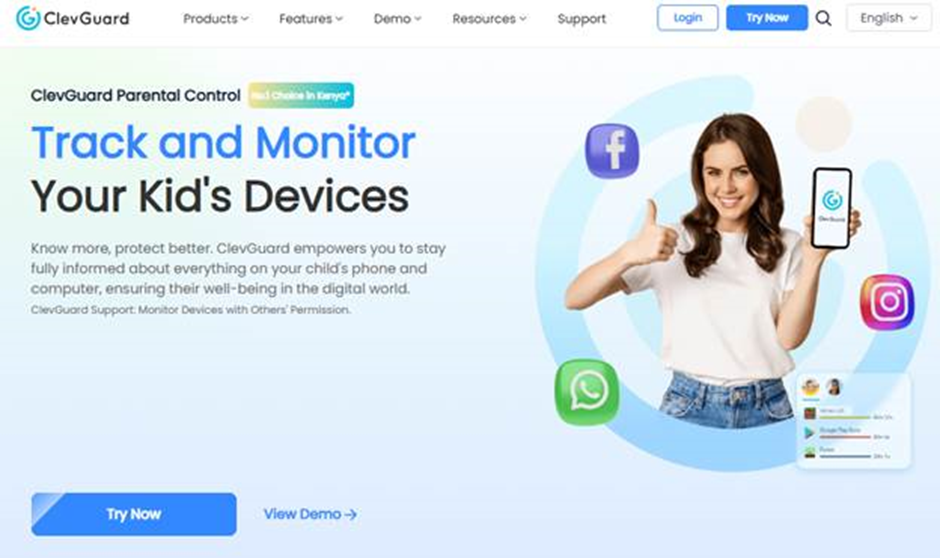
Advancements in technology mean that now we rely on digital devices to work, learn, and even for entertainment. Kids today start using these devices very early, requiring parents to seek innovative ways of protecting them online. Using parental control apps is by far the most reliable way to ensure you can monitor your child’s phone safely.
However, the market for these tools has seen an influx of solutions trying to outdo each other. In an environment where sameness persists, ClevGuard is setting new standards for how parents can monitor their children’s devices. In this article, we’ll review this platform and its various apps.
What Is ClevGuard?
ClevGuard is a trusted parental controls, digital monitoring, and security software developer. The brand is most renowned for its standout products, such as KidsGuard Pro and KidsGuard for WhatsApp, which we will review in detail in this article.
Unlike other software development companies, ClevGuard is guided by deep empathy for modern-day parents. Its monitoring solutions are meticulously created to solve the challenges of raising children in a digital-first world. ClevGuard’s apps offer deep insights into how kids use the devices available to them, allowing parents to guide them in a more positive way that nurtures healthy digital habits.
The team at ClevGuard consists of software developers, cybersecurity experts, and a research and development team that includes parents, educators, and caregivers. Together, this unit helps design products and features that allow users to stay alert to online risks, but also have a reliable solution they can count on to help them mitigate them should they escalate.
How ClevGuard Helps Parents Monitor Their Children’s Phones Safely
So, how can ClevGuard help you monitor your child’s phone safely? The answer is simple, through its wide app catalog. In this section, we’ll look at three of the most popular ClevGuard apps and how you can use them to protect your child online.
1. KidsGuard Pro – Comprehensive Parental Control App


KidsGuard Pro is by far the most popular ClevGuard app. Trusted by millions of parents worldwide, this app empowers users to comprehensively monitor all aspects of their child’s device from a centralized dashboard.
Designed to be compatible with iOS and Android devices, the app is easy to configure on the target mobile phone without rooting or jailbreaking.
KidsGuard Pro Features
Below is a list of KidsGuard Pro features that help parents monitor their children’s devices safely.
- Social Media Monitoring: KidsGuard Pro allows you to monitor social media apps like Facebook, Snapchat, and Messenger on your child’s device. The solution lets you see who they contact, what they talk about, and any videos and files they exchange.
- Real-Time GPS Location Tracking: Once you’ve bound the child’s device to your account, you can monitor their real-time location on a map view display thanks to GPS. KidsGuard Pro will also show you other places they’ve been, Wi-Fi networks they’ve logged into, and send you geofence alerts when you designate safe zones.
- Call and SMS Monitoring: Whether it is spam callers, prohibited family, or predatory strangers calling and texting your child, KidsGuard Pro helps you stay ahead of their intentions. You can view all logs in full, including deleted ones, block contacts, and record calls as well.
- Web, App Activity, and Screen Time Monitoring: With this parental control solution, you can also monitor your child’s web history and which apps they use most frequently. Combined with screen time analysis, you can then implement healthy restrictions to reduce screen addiction and avoid exposure to harmful and inappropriate content.
- Media and File Access: KidsGuard Pro gives you exclusive access to your child’s phone storage to view the media and files saved, sent, or received on their mobile phone. Checking this often helps guard against online predation and inappropriate content, and helps protect critical information.
Other KidsGuard Pro capabilities include tracking specific keywords to help you stay vigilant of any signs of cyberbullying, suicidal thoughts, or sexting. It can also remotely record ambient sound to ensure your child is in a safe place where conversations are not harmful. All this is possible without interfering with your child’s user experience on their device. As with other ClevGuard apps, KidsGuard Pro works discreetly.
2. KidsGuard for WhatsApp – Reliable Visibility into WhatsApp Activity


WhatsApp is without a doubt the go-to messaging app for most people, teenagers included. Its robust privacy features, like end-to-end encryption and self-destruct messages, are a massive attraction for many. As such, having a reliable tool to monitor WhatsApp safely is crucial. KidsGuard for WhatsApp is that solution.
KidsGuard for WhatsApp Features
The features of this app that help parents include:
- Real-Time Chat Monitoring: With this app, you can safely monitor your child’s individual and group chats in real-time, see all sent and received messages, and recover deleted ones.
- Media File Monitoring: Even with WhatsApp’s disappearing messages and View Once feature, KidsGuard for WhatsApp allows you to circumvent these privacy features without risking your child’s data. You can reopen View Once photos and videos after the initial expiry and recover deleted media, all while maintaining access to all media history in a chat.
- Screen Activity Capture: In instances where you need to capture something quickly, the app has an automatic screenshot feature that can be activated remotely. This way, you can save crucial information necessary for subsequent conversations with your child about their online safety.
- App Usage Tracking: The tool also helps to track your child’s activity on the app, including their active sessions, last seen, WhatsApp statuses they post, and their location
- Keyword Alert: This feature notifies you immediately when a particular word appears in a chat and may signal danger or coercion. KidsGuard for WhatsApp lets you list which words should be flagged and will alert you when this happens.
3. TGSeen – Understand Your Child’s Telegram Usage Patterns


TGSeen is another safe monitoring solution from ClevGuard. The app enables you to know when your child was last online on the app. Such information is vital for tracking their digital habits and ensuring they are not getting addicted to the app.
TGSeen Features
Despite being a lightweight app, TGSeen has the following crucial features to help you in your digital monitoring.
- Last Seen Tracker: The app lets you see the actual timestamp of when your child last used the app. This feature helps bypass all privacy features on Telegram that allow users to hide the information.
- Online Alerts: TGSeen can be set up to send you push alerts whenever your child or someone else accesses their Telegram account. Knowing this in real-time can help you have a conversation with your child about their usage habit and also assist in mapping their digital habits.
- App Usage Tracking: TGSeen also tracks the child’s app usage habits. The tool provides detailed insights into how much time they spend on Telegram, enabling you to strategize on how to help them reduce it.
In Conclusion: How Safe Is ClevGuard to Use?
ClevGuard develops safe-to-use consent-based digital monitoring solutions. You are encouraged as a parent to have open conversations with your child about monitoring before you can proceed to use any of the three tools discussed in this article. Furthermore, it is important to adhere to ClevGuard’s terms of use and only use the apps for parental control purposes.
ClevGuard is committed to providing modern parents with reliable digital solutions to assist in their parenting efforts. Simultaneously, the brand adheres to the most rigorous and trusted data protection standards. No user data is shared or accessible to third parties. Visit the official home of ClevGuard today to get started with an app that matches your needs.